
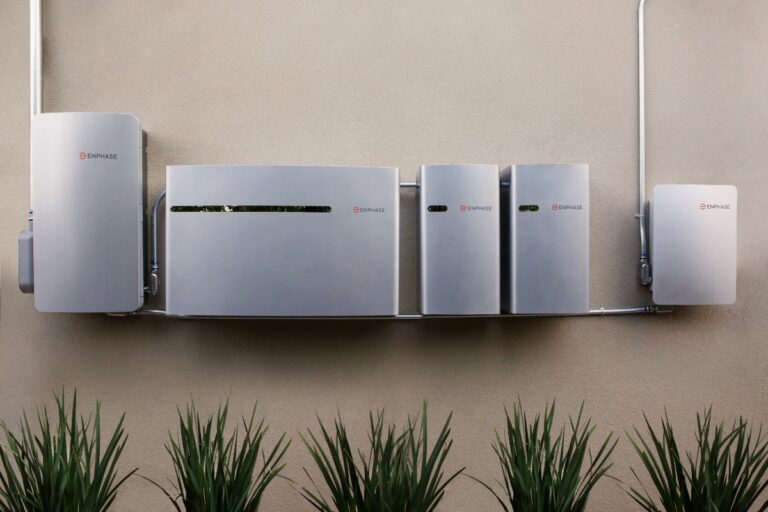

Maintenance might not sound as exciting as shiny new tech, but when you’re dealing with solar batteries it’s the difference between smooth backup power and a very expensive, potentially dangerous headache. In this guide, you’ll walk through how to install your batteries the right way, keep them humming for years, and avoid nasty surprises like overheating, fires, or toxic leaks. You’ll see how smart planning, simple habits, and a few non-negotiable safety steps protect your gear, your home, and your long-term savings.
Key Takeaways:
- Roughly 25,000 home fires per year are linked to electrical issues, so tidy wiring, solid terminations, correct breakers, and clear working space around the battery bank aren’t just “nice-to-have” – they’re non-negotiable safety basics that protect both your crew and the homeowner.
- Because batteries naturally lose capacity over time, locking in a simple maintenance rhythm – visual checks, cleaning terminals, updating firmware, and verifying monitoring alerts – massively extends system life and keeps performance from slowly drifting downhill without anyone noticing.
- Even the best install can go sideways without documentation and training, so capture detailed photos, serial numbers, settings, and test results, then walk the homeowner through shutoff procedures, warning signs, and what to do in an emergency so nobody is guessing when something feels off.
Let’s Talk About the Battery Basics
You can’t dial in installation or maintenance if you’re fuzzy on how the battery itself behaves under real-world conditions, especially once it’s cycling daily with solar. Different chemistries handle heat, depth of discharge, and charge rates in radically different ways, so your choices here ripple through safety, lifecycle costs, and customer satisfaction. Because you’re often sizing, speccing, and maintaining batteries over 10-15 years, every assumption you make on day one quietly compounds over thousands of cycles.
What’s the deal with different battery types?
Every battery type trades off cost, cycle life, and risk, so you can’t just default to whatever’s sitting in your distributor’s warehouse. Lead-acid might look cheap, but once you factor in ventilation, footprint, and shorter lifespan, lithium often wins over a 10-year ROI. And when you’re dealing with chemistries like LFP vs NMC, you’re also balancing thermal stability against energy density. This is where your spec sheet reading skills really start making or breaking your project margins.
- Lithium-ion batteries: high DoD, compact footprint, smart BMS
- Lead-acid options: lower upfront, more maintenance
- Cycle life and DoD drive long-term value
- Thermal management reduces degradation and risk
- This chemistry choice locks in performance, safety, and service needs.
| Battery Type | Key Consideration |
| Lithium-ion (LFP) | High cycle life, better safety, ideal for daily cycling |
| Lithium-ion (NMC) | Higher energy density, tighter thermal controls needed |
| Flooded lead-acid | Low upfront cost, frequent maintenance and ventilation |
| Sealed AGM/GEL | Less maintenance, shorter life with deep cycling |
| Hybrid systems | Mix of chemistries to balance backup vs daily use |
Why size really does matter
Undersize the battery and you set your customer up for chronic outages, annoyed calls, and accelerated degradation from deep cycling; oversize it and you blow their budget on capacity they’ll never realistically use. You’re juggling peak load, backup expectations, and rate structures like California’s evening peaks, not just kWh on a spec sheet. This single decision quietly drives install cost, perceived performance, and how often you’ll be back on-site fixing “problems” that were really sizing issues.
In practice, you’re translating real habits into numbers: that 5 kW home office load that runs 6 hours a day, the 3-ton AC kicking on at 4 p.m., or the EV that pulls 7 kW on a Level 2 charger. So you model daily consumption, then map it to usable capacity at a realistic depth of discharge like 80%, add headroom for cloudy stretches, and layer in outage expectations. If your customer expects 10+ hours of backup at 5 kW, you’re not just picking a 10 kWh battery and calling it good, you’re sizing for peak power, inverter limits, and how that battery will age after a few thousand cycles.
How do batteries work, anyway?
At a practical level, your battery’s just a controlled chemical reaction that soaks up DC energy from the solar array, then pushes it back out when the loads or grid ask for it. Every charge-discharge cycle nudges that chemistry a bit, so heat, overcharging, and deep discharges quietly chip away at usable capacity. You’re imperatively managing a long-term chemical asset, not a static box, which is why your settings, monitoring, and maintenance habits matter way more than the marketing brochure.
When you hook a residential system together, electrons flow from panels into the inverter and then into the battery, where ions shuttle between electrodes through an electrolyte, storing energy as a potential difference. Under load, that process reverses and your battery feeds the inverter, which converts DC back to AC for the home or grid, while the BMS constantly tracks cell voltage, temperature, and state of charge. Because you’re often cycling these packs hundreds of times per year, even small configuration tweaks on things like charge voltage, max DoD, and temperature thresholds can easily translate into several extra years of usable life for your customers.
The Rise of Residential Battery Use
In 2023, about 100,000 U.S. homes added storage to their solar, and you’re seeing that shift on almost every job site now. Customers ask about batteries not as a luxury but as an expectation: outage backup, EV charging, and utility savings in one package. When you frame batteries as part of a broader energy strategy – not a bolt-on accessory – you position your installs as future-ready systems instead of short-term fixes.
Why are batteries becoming so popular in homes?
As utilities roll out time-of-use rates and outages spike, you’re watching batteries move from “nice-to-have” to must-have resilience gear. Homeowners see neighbors riding through a 6-hour outage with lights on and phones charged, and they want the same. Add in incentives like the 30% federal tax credit and local rebates, and suddenly that battery quote doesn’t feel like a splurge, it feels like insurance for their lifestyle.
My take on how batteries can save you money
When you shift 5 to 10 kWh per day from peak rates to stored solar, you’re often cutting a customer’s bill by 20-40% in high-cost markets. Batteries let you dodge $0.40+ per kWh evening rates and keep grid imports low when they’re most painful. You’re basically helping them buy cheap power at noon and “resell” it to themselves at 7 p.m. when utilities want top dollar.
In practice, you’re probably seeing the biggest wins with time-of-use arbitrage and demand charge reduction. A 10-15 kWh battery can knock down those nasty evening peaks from AC, cooking, or EV charging so your customer never hits the utility’s most expensive tier. Over 10-15 years, that can stack up to tens of thousands in avoided costs, especially when you factor in fewer truck rolls thanks to remote monitoring and smarter dispatch. And if you’re bundling batteries with solar in one financed package, the monthly payment often stays flat while their utility bill drops, which makes the value story a whole lot easier to sell.
The environmental angle: Going green with batteries
Because batteries let you store midday solar instead of exporting it for pennies, you’re helping customers use a lot more of their own clean energy. That can cut a home’s grid consumption by 60% or more in some setups, which is a pretty big deal. Every kWh they avoid pulling from a fossil-heavy grid is real, measurable emissions avoided, not just feel-good marketing fluff.
On top of that, pairing storage with smart controls lets you flatten dirty evening peaks, when gas peaker plants tend to kick on hardest. You’re not just shrinking one house’s footprint, you’re softening strain on the local grid and supporting higher solar penetration overall. Sure, batteries have their own manufacturing footprint, but over a 10-year life, most residential systems offset far more CO₂ than they ever embodied, especially when you size and operate them correctly for your customer’s actual load profile.
Picking the Right Battery for Your Home
Roughly 60% of homeowners with solar say backup power is their top reason for adding storage, so your battery choice has to match how you actually live. You’re not just picking a shiny box – you’re choosing how many hours of backup you’ll get, what happens during a blackout, and how your bill looks in a heatwave. Start with your loads, outage risk, and budget, then work backward to chemistry, size, and brand instead of just chasing the biggest kWh number on the spec sheet.
What to consider when choosing a battery
A 10 kWh battery typically covers 8-12 hours of imperatives, so you’ll want to map that against your fridge, lights, Wi-Fi, and maybe a mini-split or well pump. Beyond capacity, you should weigh cycle life (5,000+ is solid), round-trip efficiency (aim for 90%+), warranty terms, and integration with your inverter and monitoring platform. And if your climate sees big temperature swings, you’ll need a battery with solid thermal management or indoor-rated placement so performance doesn’t tank in summer or winter.
The pros and cons of various battery brands
Across the residential market, you’ll see a handful of usual suspects popping up in quotes and site surveys, each with its own tradeoffs around price, ecosystem, and installer support. Some brands lean hard into sleek all-in-one units, while others give you more modular building blocks you can stack as your needs grow. Your best option is usually the one your installer knows inside out, not just the one with the flashiest app or biggest marketing budget.
| Pros | Cons |
|---|---|
| High round-trip efficiency (often 90-95%) so you lose less energy in charging and discharging. | Premium brands can cost 20-40% more upfront than lesser-known manufacturers. |
| Long cycle life (typically 4,000-10,000 cycles) that supports daily cycling for 10+ years. | Some ecosystems lock you into proprietary inverters or gateways, limiting flexibility. |
| Integrated software for outage management, time-of-use arbitrage, and EV coordination. | Cloud-dependent platforms may lose smart functions if internet or servers fail. |
| Strong warranties with throughput guarantees and clear performance metrics. | Warranty fine print can exclude improper installation or non-approved accessories. |
| Established brands often provide better installer training and tech support. | Lead times and backorders can delay your project by weeks during demand spikes. |
| Modular systems let you start small and add extra capacity later. | Mixing new and old modules can complicate performance and warranty coverage. |
| All-in-one units simplify installation, inspection, and permitting for your contractor. | Larger integrated cabinets can be harder to place in tight garages or utility rooms. |
| Good UL certifications and listings support smoother AHJ and utility approvals. | Cheaper brands sometimes lag in certifications, slowing inspections and PTO. |
| Robust thermal management improves safety and reduces fire risk in hot climates. | Poor ventilation or incorrect mounting locations can still create overheating hazards. |
| Native integration with monitoring tools makes remote maintenance much easier. | Disjointed apps and portals make troubleshooting painful for you and your installer. |
When you’re comparing brands line by line, you’ll find that most lithium-ion options look similar at first glance but diverge on details like throughput limits, communication protocols, and how forgiving they are to real-world abuse. You really want to ask your installer which brands they see coming back for warranty swaps, communication glitches, or BMS faults and which ones quietly run for 7+ years with nothing but firmware updates, because that on-the-ground feedback is worth more than any glossy spec sheet.
Is DIY installation a good idea, or nah?
With some batteries pushing 400+ volts DC and storing 10-30 kWh of energy, you’re basically dealing with a small car’s worth of power on your wall. That’s not a casual weekend project. You might save a few thousand dollars on labor going DIY, but you risk voided warranties, failed inspections, and serious safety hazards if anything’s off. Most manufacturers and utilities flat-out require licensed installers for interconnection and rebate eligibility, so cutting corners here usually backfires.
In practice, you’ll see DIY-friendly forum posts and YouTube builds, but those rarely show you what happens when an AHJ fails the inspection or when a utility engineer flags your single-line diagram as non-compliant. Because modern batteries pack in BMS configs, rapid shutdown gear, and complex commissioning steps, you’d need pro-grade tools, test equipment, and training just to validate that your system is actually safe. If you want to be hands-on, you’re better off doing prep work like mounting backer boards, clearing space, or running conduit under your electrician’s guidance instead of wiring the battery stack yourself.
Best Practices for Battery Installation
A lot of installers think battery best practices start on install day, but you’re actually setting the tone weeks earlier with prep, layout, and paperwork. When you line up a clean mounting surface, accurate load calcs, and code-compliant clearances before anyone lifts a tool, you slash call-backs, speed inspections, and avoid ugly surprises like panel upgrades mid-job. Tight documentation, photos, and standardized checklists become your safety net, keeping every install consistent even when crews change or you’re juggling 20 active projects at once.
Getting your home ready for battery installation
Most homeowners assume you can just bolt a battery anywhere in the garage, but you know that’s a fast track to failed inspections and annoyed customers. You’ll want a clean, clutter-free wall, 3 feet of working clearance, and a path for conduit that doesn’t snake awkwardly around storage shelves, gas appliances, or doors. If you share simple prep steps ahead of time (move boxes, clear access to the main panel, secure pets), you can cut on-site delays by 30 minutes to an hour per visit.
What tools do you really need?
People love to overpack for battery installs, but you don’t need a rolling tool museum every time. If you’ve got a calibrated multimeter, torque wrench, insulated screwdrivers, rotary hammer, labeling gear, and a solid laptop or tablet with your site survey and install templates, you’re 90% of the way there. The rest is job-specific: anchors for the wall type, conduit benders sized for your runs, and PPE that actually matches the voltage and fault current you’re working near.
On bigger residential systems, you’ll lean heavily on a battery-specific torque chart, proper lug crimpers, and a multimeter that can safely handle up to 1000 V DC without flinching, because one bad connection on a 13 kWh pack can turn into heat, arcing, or worse. You should also keep a label printer loaded with UV-resistant tape so everything from disconnects to breakers is clearly marked for inspectors and future techs. And don’t skip PPE: Class 0 or higher gloves, safety glasses, and arc-rated clothing turn a risky DC fault into an uncomfortable story instead of an incident report.
Making sure you’ve got the right permits
It’s tempting to think permits are just red tape, but one missed requirement can stall your project for weeks and cost real money. You’ll usually need an electrical permit, sometimes a structural review for wall loading, and in wildfire or flood zones, extra siting rules or setbacks. When you pull the correct permit package up front, including one-line diagrams and spec sheets, inspectors fly through approvals and you avoid expensive rework after someone flags your install as non-compliant.
In a lot of jurisdictions, you’re now dealing with NEC 2017 or 2020, local fire codes, and utility interconnection rules all at once, so you should map out exactly which authority has jurisdiction and what they care about most. Some AHJs focus hard on working clearances and rapid shutdown labeling, others on battery location near sleeping areas or gas appliances. If you standardize permit sets with a consistent one-line, load calc, anchoring detail, and manufacturer data sheets, you’ll see approval rates climb and cut your average permit review time by several days.
Installation Techniques You Can’t Ignore
What usually trips installers up isn’t the battery tech, it’s the little installation details you rush past when you’re trying to hit schedule and margin. You’re juggling conductor sizing, torque specs, wall load ratings, clearances, and AHJ quirks, and if any of those are off by an inch or a new code update, your perfectly good system suddenly fails inspection or underperforms. So you’ve got to treat those “boring” techniques as your secret weapon for fewer callbacks, cleaner inspections, and longer-lasting systems.
A step-by-step guide to getting it done
| Step-by-step guide to getting it done | You start with a site-verified layout, then move into mounting hardware, conduit runs, and battery placement before you ever land a conductor. From there, you torque lugs to spec, confirm polarity, run insulation resistance tests, and verify communication wiring so your BMS actually talks to the inverter. Finish by commissioning according to the manufacturer’s checklist so you’ve got documented proof every connection and setting is dialed in. |
The safety protocols that keep you protected
| The safety protocols that keep you protected | You’re not just hanging gear on a wall, you’re working around high DC voltage and stored energy that can arc, burn, or explode if you cut corners. So you lock out breakers, verify absence of voltage, wear proper PPE, and keep Class C fire extinguishers on-site any time you’re terminating battery cables. You also follow manufacturer spacing for ventilation and clearance, because ignoring that is how you end up on the news instead of in the referral pipeline. |
In practice, your safety game starts way before you flip a disconnect. You walk the site for ignition sources, moisture, and trip hazards, then set up a controlled work zone so neighbors and kids don’t wander into live areas. During terminations, you keep conductive tools taped, avoid parallel paths across your body, and treat even “low” 48 V banks with the same respect you’d give a 600 V string. And after everything’s live, you train the homeowner on shutoff procedures and fault indicators so your safest day isn’t just install day, it’s every day after.
Don’t forget the documentation – here’s why it matters
| Don’t forget the documentation – here’s why it matters | You might feel tempted to skip photos and labels when you’re racing sunset, but your future self will hate you for it. A clean set of as-builts, torque logs, serial numbers, and SiteCapture photo records can shave hours off troubleshooting and warranty calls. Plus, AHJs and utilities are approving more jobs purely off documentation now, so tight records aren’t just nice to have, they’re what keep cash flowing without endless truck rolls. |
On real projects, that looks like capturing before-and-after photos of terminations, panel schedules, label locations, and battery wall anchors so you can prove everything matches NEC, manufacturer specs, and the engineered plans. You document firmware versions, commissioning screenshots, and test results in one place instead of six random apps. And when a battery throws a fault code two years later, you’re able to pull up that history in seconds, show the OEM exactly what was done, and turn a potential blame game into a fast, paid warranty resolution with minimal drama.
Keeping Your Battery in Tip-Top Shape
What actually keeps your battery happy isn’t magic software or fancy hardware – it’s boring, consistent care. You’re watching temperatures, tracking cycle counts, cleaning vents, and logging even the tiny issues. Pair that with following manufacturer specs and safety rules like NFPA 70E Battery and Battery Room Requirements, and you dramatically cut fire risk, nuisance trips, and premature failure.
Establishing a solid maintenance schedule
You get the best performance when your maintenance schedule is boringly predictable: quick visual checks monthly, deeper inspections every 6 months, and a full test, log review, and firmware check at least once a year. Tie tasks to real data – like cycle count or kWh throughput – so high-use batteries get more attention, and low-use backup systems don’t quietly degrade in the corner.
When do you need a professional to check in?
You don’t need a tech for every small warning, but you absolutely want one when you see rapid capacity loss, repeated inverter faults, burnt or melted lugs, or any signs of swelling, leaks, or overheating above spec. If you’re hitting outages where loads trip earlier than designed, or monitoring shows big voltage imbalance across packs, it’s time to get a pro on-site.
Sometimes the red flag is subtle, like a 10-15% drop in usable capacity over a single year, even though you’re under the rated cycle count. Other times it’s loud: breakers tripping under normal loads, weird smells, or contactors chattering during transfer. That’s when a qualified electrician or battery tech needs to pull logs, check terminations with a torque wrench, maybe do IR scans, and validate that your setup still aligns with code, warranty terms, and safe operating limits.
Is remote monitoring worth it?
You feel the value of remote monitoring the first time a voltage imbalance or high-temperature alert pops up at 2 a.m. and you fix it before the homeowner even notices. Good platforms track SOC, cycle count, temperature, and fault codes, letting you batch minor fixes, reduce truck rolls by 20-40%, and spot failing batteries months before they would’ve turned into weekend emergency calls.
Over a fleet of 50 or 100 installs, that data is gold: you’ll see which brands degrade faster, which firmware versions cause nuisance faults, and which mounting locations run consistently hotter. With that, you can adjust designs, upsell monitoring as a paid service, and create predictable, contract-backed performance instead of waiting for angry outage calls. And for busy teams, fewer surprise site visits is worth every penny.
Maintenance Tips and Tricks for Longevity
Smart maintenance habits are what separate short-lived battery setups from systems that quietly perform for 10+ years. You’ll want to keep discharge within the manufacturer’s recommended Depth of Discharge, track efficiency drops over time, and log every tweak in your maintenance app so patterns are obvious, not guesswork. After you build these routines into your standard workflow, your callbacks go down and your customer satisfaction scores usually go way up.
- Battery maintenance
- Solar battery longevity
- Depth of Discharge
- Performance monitoring
- Preventive maintenance
Simple checks you can do yourself
Quick visual checks catch a surprising number of issues before they spiral. You can scan for corrosion on terminals, loose conduit, unusual odor, swelling on older lead-acid units, and verify indicator LEDs or app dashboards show normal voltage and state of charge. After you’ve done this a few times, it becomes a 5-minute habit that saves you from those painful emergency truck rolls later.
Knowing when things aren’t right
Small performance drops are often your first signal something’s off. You’ll notice batteries hitting low charge earlier in the evening, the inverter tripping more often, or your monitoring app logging repeated undervoltage alerts. After you spot these patterns, you can schedule targeted inspections before minor annoyances turn into failed backup during the next storm.
Real red flags show up in both the hardware and the data, so you’ll want to pay attention to both. You might see the cabinet getting hotter than usual, hear faint buzzing, or smell a sharp, chemical odor – any of these around a solar battery deserves immediate attention. At the same time, your monitoring platform might reveal that usable capacity has dropped by 20% in under a year or that charge cycles are spiking outside the expected 250-350 cycles annually. When those symptoms line up, you’re likely dealing with a genuine safety risk, not just a settings tweak, and that’s when you should pause operation and get a qualified tech on site fast.
How to clean your battery properly
Good cleaning isn’t about making the cabinet pretty, it’s about eliminating resistance and fire risks. You’ll want to use a dry cloth or slightly damp (never dripping) rag, non-conductive tools, and a baking-soda solution only where the manufacturer approves, especially on older lead-acid systems. After you’ve powered down according to the manual, keep metal tools away from terminals and avoid aggressive chemicals that can damage insulation or seals.
Safe cleaning starts before you even touch the battery, which means you should follow lockout-tagout steps and verify the system is isolated. You’re typically wiping down enclosures, clearing dust from ventilation grilles, and gently removing any buildup around terminals with a manufacturer-approved brush, then tightening lugs to spec if accessible. In coastal or dusty regions, you might schedule these cleanings quarterly instead of annually because salt and fine dust can speed up corrosion and heat buildup. After you log each cleaning with photos in your maintenance app, you’ll have a clear history that supports warranty claims and shows you exactly when things started to change.
Troubleshooting Common Battery Issues
What are the most frequent problems?
What do you do when a battery that worked fine last summer suddenly acts up after the first cold snap? You’ll typically see low capacity complaints, unexpected shutdowns, slow charging, high inverter error rates, and weird SOC readings. Sometimes it’s just loose lugs or corroded terminals, other times it’s firmware bugs or a failed BMS board. And every now and then, you’ll run into the big one – thermal issues from poor ventilation or stacking units too tight.
My go-to solutions for battery hiccups
What’s your first move when a customer calls saying, “the battery’s dead,” but you know it probably isn’t? You start with simple, non-invasive checks: verify SOC in the app, confirm breakers and disconnects, then inspect cabling, terminations, and lugs for heat marks or corrosion. From there, you pull logs, check firmware versions, and compare actual capacity to spec. Only after those fast wins do you crack open advanced diagnostics or roll a truck for on-site testing.
When things get messy, you lean on structure instead of guesswork. You might use a standard 15-minute workflow in SiteCapture: photo every termination, log torque values, record inverter and battery error codes, grab voltage and current readings at rest, then under load. That way, you can quickly see if you’re dealing with configuration errors, bad wiring, or true cell degradation. For recurring issues across multiple jobs, you tag those visits, build a pattern (same model, same firmware, same climate), and turn that into a checklist update so your crew fixes the root cause, not just the symptom.
Should you repair it or just replace it?
When a battery keeps acting up, how do you decide if it’s worth nursing along or if it’s time to pull the plug? You look at age, warranty status, and how far real capacity has drifted from its original rating. If a battery is past 60-70% of its expected cycle life, needs repeated callouts, or shows clear cell imbalance or swelling, replacement usually beats another band-aid repair for both safety and long-term cost.
In practice, you’ll often repair issues like loose terminations, failed comm cables, minor BMS faults, or outdated firmware, especially on systems under 5 years old. But once you’re seeing chronic alarms, repeated derating in hot weather, or capacity tests showing 30% or more loss, you should walk your customer through long-term costs: truck rolls, emergency visits, potential outage risk. In many cases, swapping to a new, higher-efficiency pack with a fresh 10-year warranty is easier to justify than another repair invoice, and your documentation trail makes that conversation straightforward instead of salesy.

Safety First: The Real Deal About Battery Safety
Nothing tanks a great install faster than a safety incident, and with residential batteries you’re working next to high voltage, stored energy, and sometimes chemicals all in one spot. You’re not just protecting hardware here, you’re protecting people, property, and your entire business. One serious fire or shock on a job can cost six figures in damages, stalled projects, and reputation loss. Treat safety as part of the product you deliver, not an afterthought you tack on at the end.
Why safety is non-negotiable
Think of it this way: a slick-looking install that’s unsafe is basically a time bomb sitting in your customer’s garage. You’re dealing with DC strings that can hit several hundred volts, lithium cells that can go into thermal runaway at around 150°C, and systems expected to sit in homes for 10-15 years. One shortcut on PPE, clearances, or labeling can come back as a lawsuit, an insurance nightmare, or a local AHJ breathing down your neck.
Common hazards to watch out for
Some risks are obvious, others sneak up on you over time. You’ve got arc flash and electric shock when working live, corrosion and acid leaks on older lead-acid banks, and overheating from poor ventilation around lithium units. Then there’s the slow-burn stuff: cable insulation rubbing on sharp edges, undersized breakers, or batteries mounted too close to flammables. These are the details that can turn a neat install into a future fire investigation report.
On real jobs, those hazards show up in small, almost boring ways: a missing strain relief that lets a conductor loosen and arc under load, a vented lead-acid bank installed in a tight closet where hydrogen can build above the 4% lower explosive limit, or a wall-mounted lithium battery sitting in direct afternoon sun that regularly pushes past its rated temperature. You’ll also see DIY add-ons – extra inverters, EV chargers – that quietly overload the storage system you installed last year. If you’re not actively scanning for these during install and service calls, you’re betting your safety record on luck.
The best practices for safe battery handling
Safe handling starts way before you land a lug on a terminal, and it doesn’t stop once the app says the system is online. You should be using insulated tools, Class 0 gloves, face shields, and lockout/tagout whenever you crack open enclosures or work near live conductors. Follow manufacturer torque specs, respect clearance and ventilation requirements, and always isolate DC and AC before swapping components. A few extra minutes locking things out beats hours of incident reports.
In practice, that means you stage batteries upright on pallets, never drag them by cables, and you always verify voltage with a meter before touching “de-energized” circuits. You keep baking soda on hand around flooded lead-acid, use proper spill kits for electrolyte, and train every tech on what to do if a lithium unit starts hissing, swelling, or smoking – evacuate, isolate, and call the fire department, not “let’s open it and see.” You also log safety checks in tools like SiteCapture so PPE use, lockout steps, and photos of clear labeling are part of the job record, not just something you hope everyone did.
Real-Life Experiences: What I’ve Learned
Picture being on-site at 7 p.m., inverter fans still whining, and you realize the wiring diagram in your hand doesn’t match what’s on the wall – that’s when all the theory in the world suddenly feels very small. You learn fast that clear documentation, a tested maintenance plan, and brutally honest job walk photos are what keep you from repeat truck rolls and awkward calls with your customer later.
The mistakes I made during my first install
You probably think you’ll nail your first battery job if you just follow the manual, but I sized that system off average kWh usage and ignored their peak loads, so the lights still flickered during a 3-hour outage. I also skipped a full load test, which meant a nuisance breaker trip a week later that could’ve been caught in 20 minutes.
Tips from experts you’ll actually want to hear
Some of the best installers I know swear by doing a 15-minute commissioning checklist and taking at least 20 photos per job, even when they’re behind schedule. You’re told to label everything, but the pros label both ends of every conductor and log firmware versions, because that’s what saves you when support asks for proof later.
- Load profiling before quoting the battery size
- Torque checks on lugs with a calibrated wrench
- Ventilation clearance verified with site photos
- Monitoring setup completed before leaving site
- Documentation stored in a shared project folder
You also get a lot of quiet warnings like “don’t trust the main panel label from the 90s” and “always verify neutral-ground bonding with a meter, not your eyes”, and those tiny habits are what keep you out of trouble, because a single missed bonding issue or hidden backfeed path can turn a routine call into something genuinely dangerous.
- Photo documentation for every critical connection
- As-built diagrams updated after field changes
- Start-up tests logged with real load values
- Homeowner training on safe operation steps
- Field templates used to standardize every visit
After you’ve had to trace one mystery circuit by headlamp at midnight, you’ll start treating those boring expert checklists like gold, because they’re exactly what keeps your installs safe, repeatable, and actually profitable.
Stories from other homeowners – what works, what doesn’t
Talking to homeowners after a few storm seasons is where you hear the real verdict on your installs: one family with a 10 kWh lithium battery and a tight critical loads panel rode out four 4-hour outages without stress, while another with an oversized but poorly configured system kept calling about low backup time because their AC and EV charger were left on the backup panel.
You’ll hear the same pattern over and over from customers – the setups that actually work have a clear backup plan taped next to the battery, well-labeled subpanels, and monitoring alerts turned on, while the ones that disappoint usually skipped that upfront conversation about what will stay on or shut off, forgot to adjust time-of-use settings, or never scheduled that first-year maintenance visit to dial things in once their real habits showed up in the data.
The Future of Battery Technology
A lot of people think batteries are already “good enough,” but you know that cycle life, safety, and cost are still shifting fast, and that affects how you design every project. You’re watching lithium iron phosphate, solid-state cells, and smart BMS tech race ahead, with AI-driven monitoring spotting failures before they happen. As energy density climbs past 300 Wh/kg in some labs, your installs can get smaller, safer, and more profitable. For deeper best practices, you can lean on resources like Battery Safety and Maintenance guides as you scale.
What’s on the horizon for batteries?
It’s easy to think “a battery is a battery,” but you’re staring at a pipeline of solid-state, sodium-ion, and LFP chemistries that behave very differently in the field. You’ll see cycle life pushing past 10,000 cycles, round-trip efficiency nudging 95%, and chemistries that sharply reduce fire risk. That combo lets you downsize rooms, relax cooling loads, and simplify your O&M plans while still hitting your customers’ backup and arbitrage targets.
Will home batteries change the energy game?
Some folks assume home batteries are just fancy backup boxes, but you know they’re quickly turning into flexible grid assets. When you stack time-of-use arbitrage, backup, and EV charging, a single 10 to 15 kWh pack can reshape how your customer interacts with their utility, especially in markets where peak rates are 2 to 3x off-peak.
Because utilities are already piloting virtual power plants that aggregate thousands of these systems, your installs can start earning program revenue on top of savings, which is a huge value-add in sales conversations.
So when you spec a home system, you’re not just sizing for outages, you’re designing for demand response, automated load shifting, and maybe even future vehicle-to-home integration, all of which can turn your projects into long-term service relationships instead of one-off jobs.
Why we should care about new innovations
It might sound like incremental chemistry tweaks don’t affect your day-to-day, but they absolutely shape your margins and risk profile. Longer-life cells mean fewer truck rolls, fewer warranty headaches, and more systems still performing above 80% capacity after a decade, which your customers really notice when the lights stay on in a storm.
And as safety features get smarter – from integrated arc detection to remote shutdown – you lower liability, shorten training time for new techs, and make permitting smoother. So staying on top of what’s coming isn’t just geeky interest, it’s how you future-proof your designs, your processes, and frankly, your reputation in a market that’s getting more competitive every quarter.
Battery Comparisons: What’s Best for You?
| Lithium-ion vs lead-acid in real projects | On most residential jobs, you’ll see lithium-ion win on usable capacity and lifespan, with 6,000+ cycles common, while lead-acid taps out closer to 1,500 to 2,000 if you baby it. You trade a higher upfront cost for fewer truck rolls, happier uptime metrics, and fewer late-night “my backup failed” calls. When you actually model 10-15 years of service, lithium-ion usually works out cheaper per kWh delivered, even if your accountant initially flinches at the quote. |
My honest take on popular battery options
From what you actually see in the field, lithium-ion (especially LFP) is the sweet spot for most residential installs: safer chemistry, higher Depth of Discharge (often 90%+), and cleaner integration with monitoring platforms. Lead-acid still has a place when your customer is ultra price-sensitive or wants simple off-grid backup. Nickel-based or flow batteries pop up in edge cases, but you’ll rarely spec them unless you’re doing niche or large commercial work with very specific requirements.
How to weigh the features and warranties
When you line up spec sheets, you’ll get way more clarity if you focus on usable kWh, cycle life, throughput, and warranty structure instead of just sticker price. A 10 kWh battery that lets you use 9 kWh at 90% DoD with a 10-year, 6,000-cycle warranty often beats a “cheaper” 10 kWh unit capped at 50% DoD and vague degradation terms. You want warranties that spell out cycles, years, remaining capacity, and what’s actually covered for labor and onsite work.
Because you’re probably juggling multiple vendors, it helps to normalize everything down to cost per warranted kWh. You take the installed price, divide by total warranted energy (usable kWh x guaranteed cycles), and suddenly the “expensive” system with a clear 70% capacity guarantee at year 10 looks like the smart play. Also, pay attention to fine print on exclusions like temperature abuse or non-approved inverters, since these are exactly what get cited in denied claims, and they can quietly wipe out the value of a flashy warranty headline.
What to avoid when making your choice
On real jobs, you get burned when you chase the lowest bid, ignore integration, or skip checking installer support. You don’t want a battery that technically works but constantly throws comms errors with your inverter or monitoring stack. Be wary of overstated cycle claims without third-party data, vague “lifetime” warranties, or brands with no local RMA process. If you can’t get parts in under a week or talk to a tech who knows your platform, that shiny discount quickly turns into a service nightmare.
So when you’re filtering options, walk away from any product where documentation is thin, training is nonexistent, or the safety certifications feel incomplete or regionally irrelevant. You’re also better off skipping “Frankenstein” setups where you mix random batteries and inverters that aren’t on each other’s approved lists, because you’ll get stuck in finger-pointing if something fails. And if a vendor can’t clearly answer how they handle field failures, replacements, and on-site safety incidents, you’ll save yourself a lot of headache by leaving that one off your proposal stack.
The Legal Side of Battery Installation
Picture this: you finish a clean install, everything tests perfectly… then a local inspector flags the job because it doesn’t meet NFPA 855 spacing rules or your state’s fire code. Legal compliance isn’t optional – it’s what keeps you out of fines, failed inspections, and forced rework. You’ve got NEC Article 706, utility interconnection rules, HOA restrictions, and manufacturer specs all sitting in the same mix, and if you’re not tracking them system by system, site by site, you’re playing a risky game.
What regulations should you know?
On every project, you’re juggling NEC Article 690 and 706, local fire codes, and often NFPA 855 for stationary energy storage systems. In some cities, you’ll hit storage size caps, setbacks, or indoor location bans over 20 kWh. Utilities layer on interconnection rules like rapid shutdown, export limits, and anti-islanding. And because these codes update every 3 years (or faster locally), you need a simple way to lock the right version to each job and capture proof in your install photos and notes.
Don’t get caught out – permits and codes explained
Permits are where everything becomes very real: structural, electrical, fire, sometimes even planning if you’re in a tight HOA or historic zone. Most AHJs now expect detailed one-line diagrams, load calcs, and battery spec sheets that clearly match NEC, UL 9540, and manufacturer spacing requirements. If your field team installs even a few inches off the approved plan, you risk a failed inspection, rework, and an annoyed homeowner asking why their backup system still isn’t turned on.
In practice, that means you should treat the approved plans as a hard contract between you and the city – not a suggestion you tweak in the field. When you move a battery cabinet 6 inches to clear a conduit, you might now violate the 3 foot working clearance or fire separation the plan checker signed off on. Using something like SiteCapture to attach permit drawings, code notes, and AHJ comments directly to your job, then forcing techs to capture “as-built” photos at each key step, makes it way easier to prove you followed NEC, UL 9540A, and local amendments if an inspector or utility questions the install later.
Insurance considerations for battery systems
Insurers are getting picky about residential storage, especially systems over 20 kWh or installed inside garages and basements. If you install outside of manufacturer instructions or code, carriers can deny fire or property claims, leaving you and your customer exposed. Many policies now require UL 9540/9540A listed equipment, documented maintenance, and proof of professional installation. So your photos, checklists, and signatures are not just for quality control – they directly support your customer’s coverage.
On top of that, your own liability and errors-and-omissions policies hinge on how well you can show that you followed code and industry standards. If a battery incident leads to a claim or lawsuit, the first thing an adjuster will ask for is documentation: which model was installed, what clearances you used, who signed off, what the inspection report said. Having a consistent workflow where every battery job includes timestamped site photos, maintenance logs, and AHJ approvals gives you a real defense, helps your customer avoid coverage gaps, and makes those uncomfortable conversations with insurers a lot shorter.
Summing up
With this in mind, you’re dealing with systems that can hit 10-plus years of service life if you nail installation, maintenance, and safety from day one. When you size batteries correctly, document every step, and stick to a realistic maintenance schedule, your installs run smoother, your callbacks drop, and your margins stay healthier. And when you bake safety checks and compliance into every visit, you’re not just protecting gear – you’re protecting your team and your customers, which is really what keeps your whole operation sustainable long term.
FAQ
Q: What should I watch for during battery installation to keep my solar setup safe and running strong?
A: One big shift lately is how many homeowners are pairing solar with batteries for backup power, so installers are juggling way more projects and way more safety rules than a few years ago. If you’re installing or overseeing installs, the first thing to dial in is the site itself – ventilation, temperature, and access all matter more than people think.
So you want that battery in a cool, dry, well-ventilated spot, away from flammable materials, and with enough space for techs to get in there later without crawling over junk. Wall-mounted systems should be fixed to solid structure, not sketchy drywall, and floor-mounted units need level, stable ground so they don’t shift or vibrate over time. And before any wiring starts, isolation points, shutoffs, and labels should be planned and clearly marked – future you (or your crew) will thank you during service calls.
On the electrical side, you’re checking that the battery, inverter, breakers, and cabling are all correctly sized and compatible with the customer’s system. Use proper torque on terminals, keep cable runs tidy, and protect cables from abrasion and moisture, because loose or stressed connections can lead to overheating or arcing. And yeah, it sounds basic, but always verify polarity before energizing – one rushed mistake here can fry expensive hardware in seconds.
Personal protective equipment matters too. Gloves rated for electrical work, eye protection, and insulated tools should be standard kit for anyone touching battery terminals or live components. And if you’re dealing with older lead-acid systems, add acid-resistant gloves and spill containment in case of leaks. For lithium-ion setups, follow the manufacturer’s safety specs to the letter plus local codes – they’re generally safer in daily use, but they still store a lot of energy in a small box, so you treat them with respect.
Q: How often should solar batteries be checked or maintained, and what’s actually on a good maintenance checklist?
A: With so many new systems going in, long-term performance is where a lot of installers are quietly winning or losing repeat business. A good baseline is a professional check-up at least once a year, along with remote monitoring in between to flag problems early, especially in the first 12 months when issues tend to show up.
A solid maintenance visit usually covers a quick visual inspection first: casing intact, no swelling or discoloration, no corrosion at terminals, no weird smells, no signs of overheating on wiring or breakers. After that, you’re looking at connections and hardware – tighten lugs to spec, check strain relief on cables, confirm mounting hardware is still tight, and verify clearances around the unit haven’t been blocked by storage boxes or clutter.
Then you dig into performance. Pull data on charge and discharge cycles, state of charge trends, temperature history, and any error codes or alarms from the monitoring platform or inverter. If you notice reduced capacity, frequent low state-of-charge events, or repeated fault codes, that’s your cue to investigate deeper instead of just clearing alerts and walking away. Catching that pattern early usually saves the customer money and saves you from emergency calls later.
Cleaning is simple but surprisingly effective. Keep the area dust-free, wipe surfaces with a dry or slightly damp cloth (no harsh cleaners), and clear any debris around ventilation openings so the battery can shed heat properly. And before you leave, it’s smart to confirm firmware is up to date, document everything with notes and photos, and update your maintenance log or digital template so you have a clear history the next time you’re back onsite.
Q: What are the most common battery safety risks in residential solar systems, and how can I reduce them from day one?
A: With the boom in residential storage, the same issues keep popping up across a lot of installs, and most of them are totally avoidable if you set things up right from the start. The big categories are electrical shock, overheating that can lead to fire, physical damage to the battery, and in some chemistries, leaks or off-gassing.
To cut down electrical shock risk, you make sure the system can be safely isolated, is correctly grounded, and follows local codes and manufacturer requirements, not just what “worked on the last job.” Clear labeling on disconnects and emergency shutoffs helps both technicians and first responders. And during any work, treating the system as live until properly verified de-energized is just smart self-preservation.
Overheating and fire risk mostly come down to placement, airflow, and not overloading components. Avoid placing batteries in extremely hot, cramped spaces like unventilated attics or jammed closets, and keep them off direct sun where possible. Use appropriately rated breakers, fuses, and conductors, and don’t mix and match random components just to make something “fit” – compatibility really matters when you’re stacking high-energy devices together in one system.
If you’re dealing with lead-acid batteries, ventilation and spill handling are a big deal, so use proper enclosures and follow instructions for venting and neutralizing spills. For lithium-ion batteries, the focus is more on impact protection, correct mounting, and not exposing units to mechanical damage or flooding. And across all chemistries, a good monitoring setup with alerts for temperature, state of charge, and fault conditions is one of the best safety tools you can put in your toolkit, because it lets you act before a small abnormality becomes an actual incident.